Upload PowerPoint to YouTube This is a tutorial about how to upload PowerPoint slide show to YouTube
YouTube don’t accept PowerPoint slideshow formats(.ppt) As PowerPoint is an easy and powerful tool to make beautiful slide show.  We always use it to make  photo albums  or other slide shows to share with family and friends.  And if you think your slide show is very funny or unique, you may want to upload it to YouTube or MySpace.  But YouTube and MySpace only accept  'MPEG,AVI,WMV,MOV'  video formats Then how can we upload PowerPoint slideshow to Youtube?
How to upload PowerPoint to YouTube? Theory:   Slides made by PowerPoint should be converted to video formats YouTube and MySpace accepted  So we must convert PowerPoint file to 'MPEG' format first
Prepare A 'ppt' "pptx" or 'pps' "pptm" slide show (photo album etc.)made by PowerPoint PPT2DVD(A tool to convert PowerPoint slides to video file)
Steps  Convert PowerPoint 'ppt/pps/pptx/pptm' to ‘.mpg’ Upload  the ‘MPG’ file to Youtube or Myspace.
Convert PowerPoint to video 1.1 Download Wondershare DVD Presenter from  http://www.ppt-to-dvd.com  .Install then run it 1.2 Press ‘Browse’ to add your PowerPoint slides file . Select the Path of your file and double click the file to add it. Then Press “Next’ in the bottom
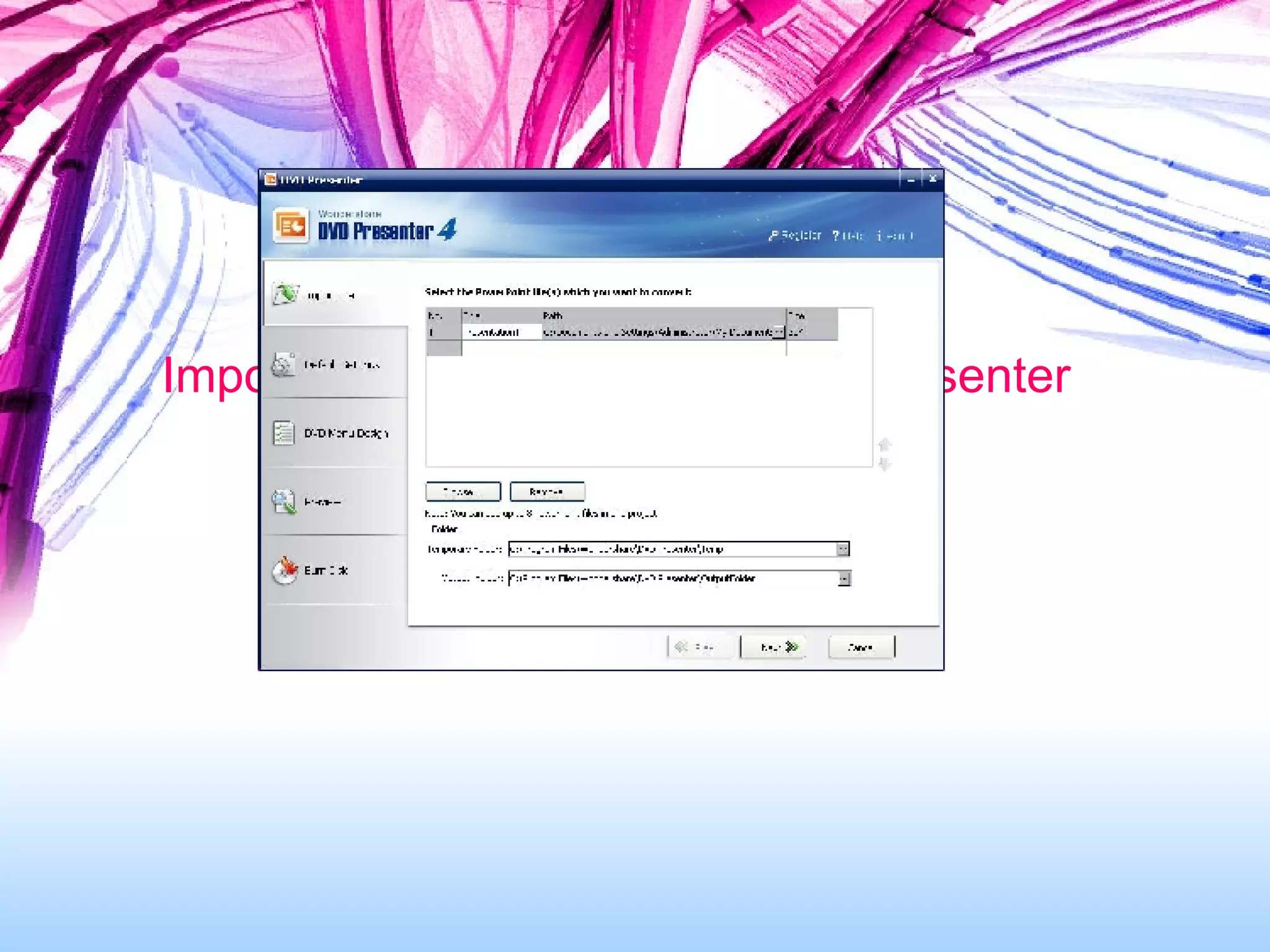
Import PowerPoint files to DVD Presenter
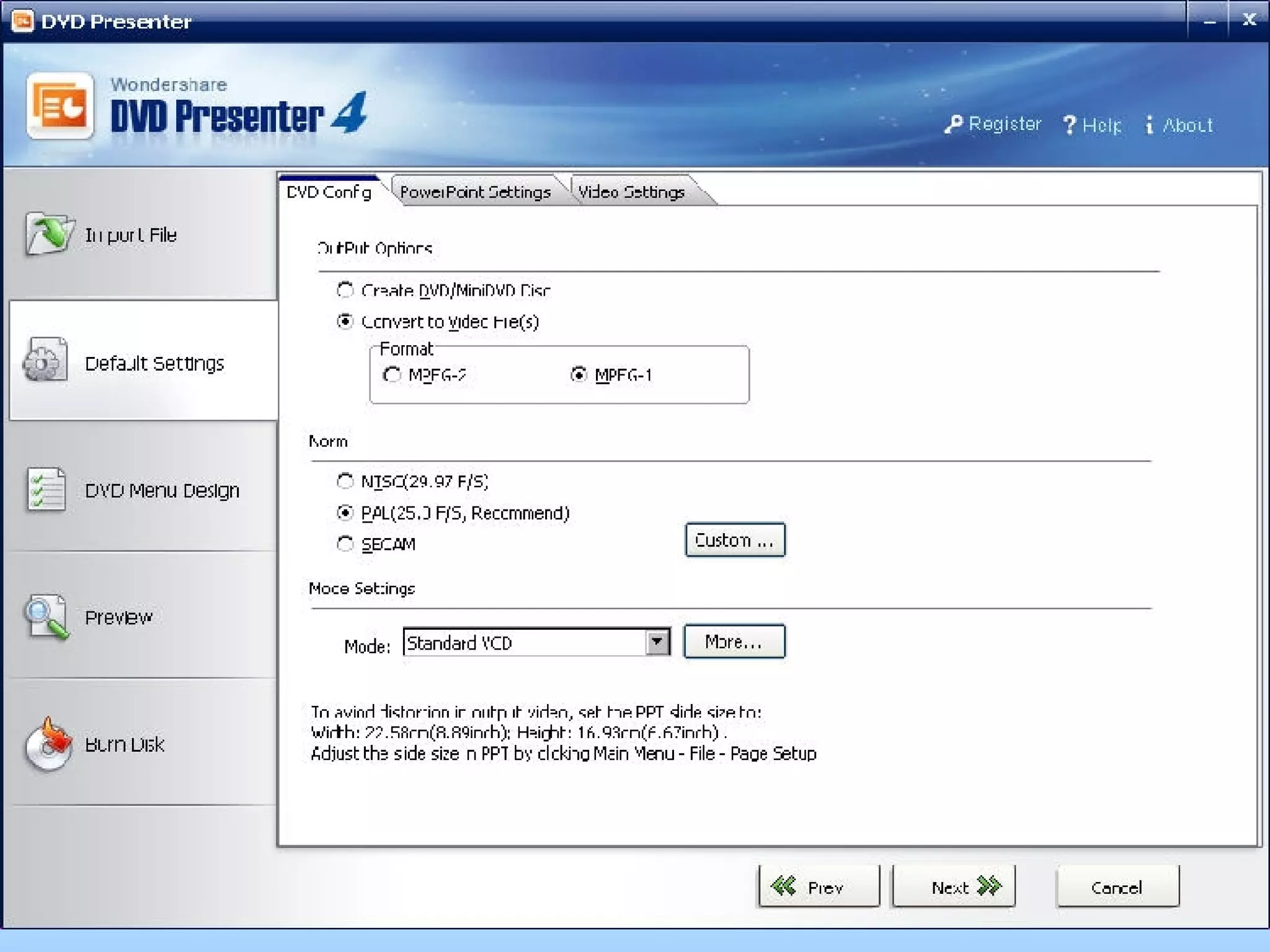
Set default settings
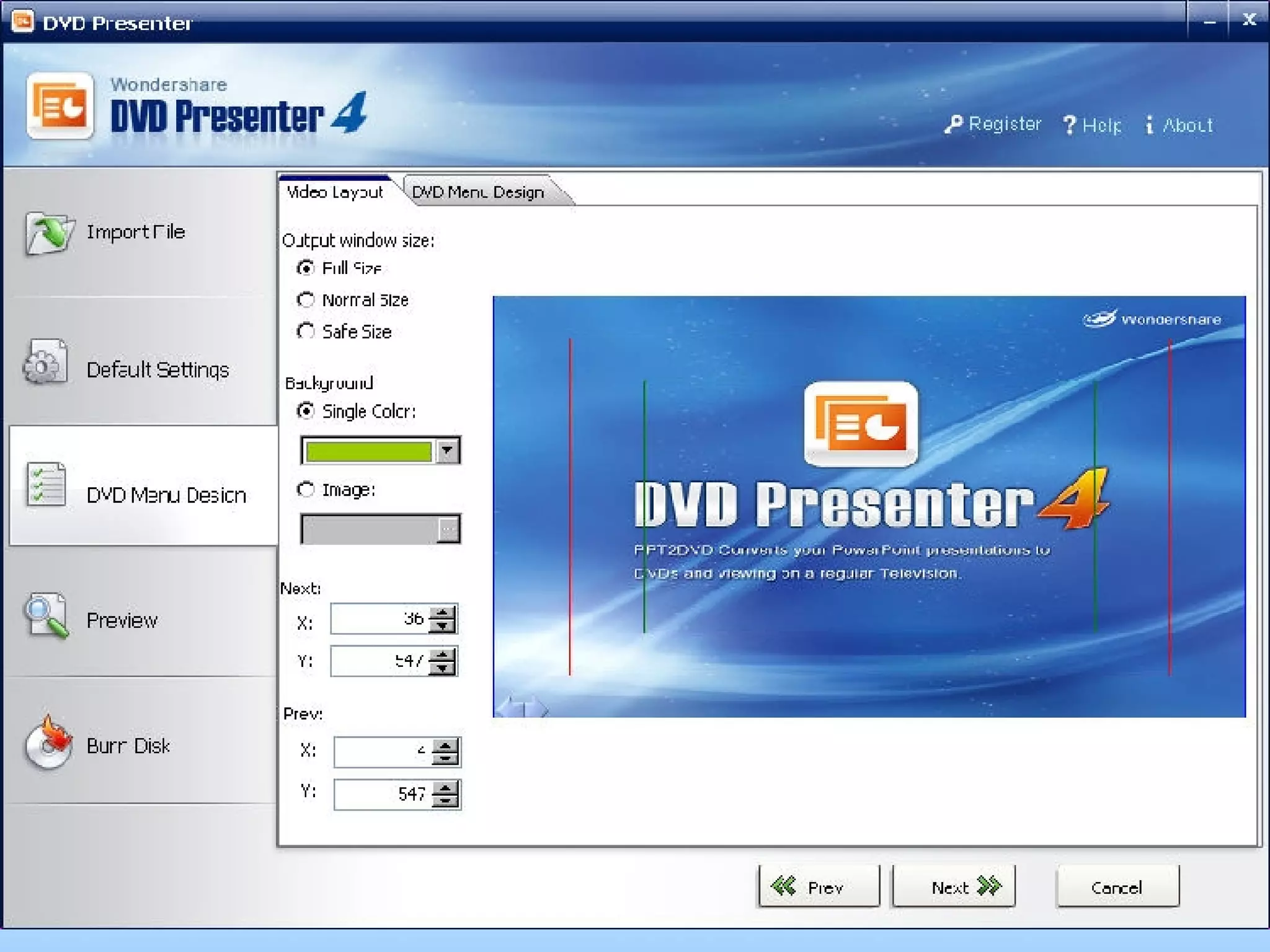
Set the video layout
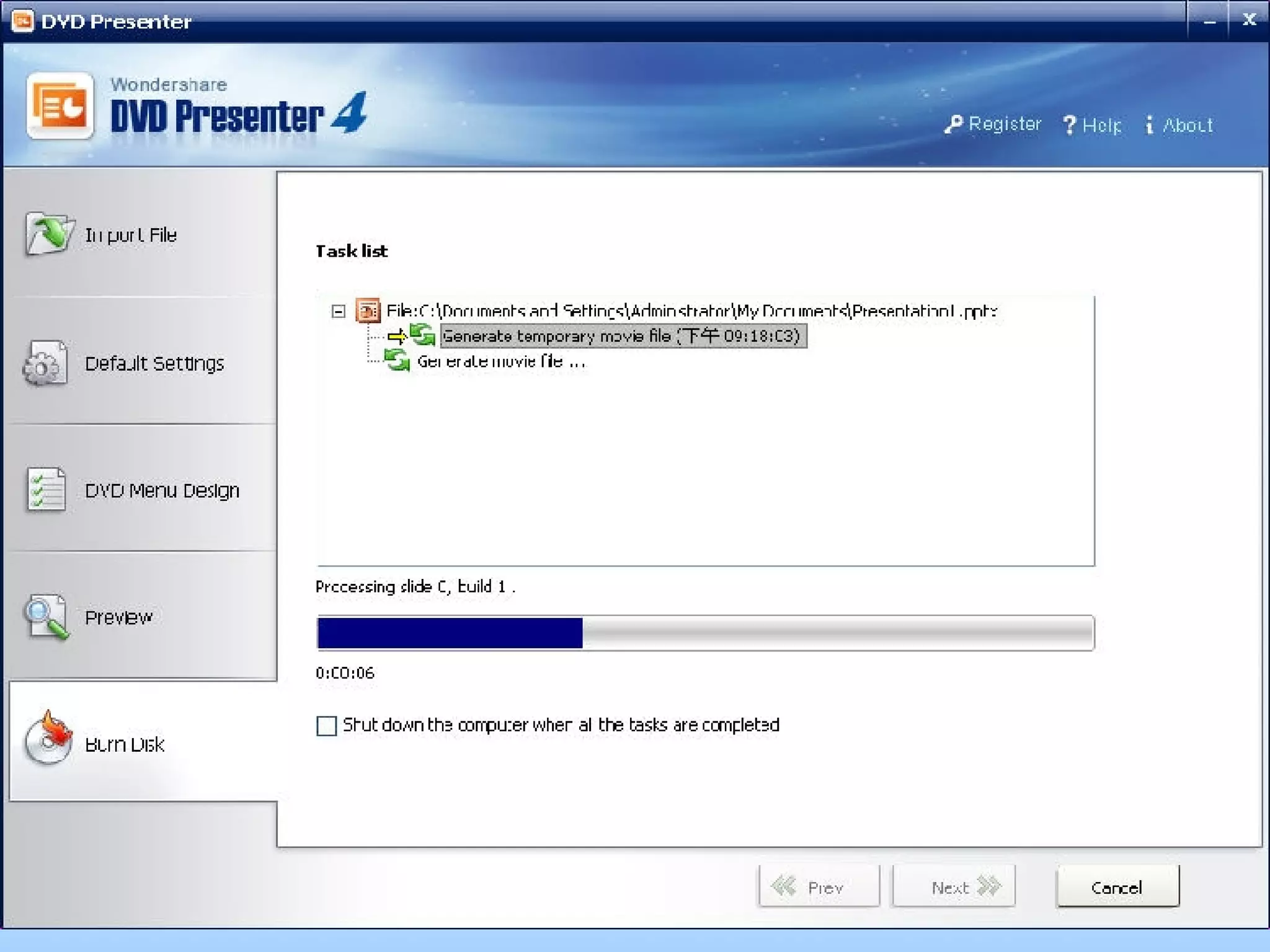
Process the conversion
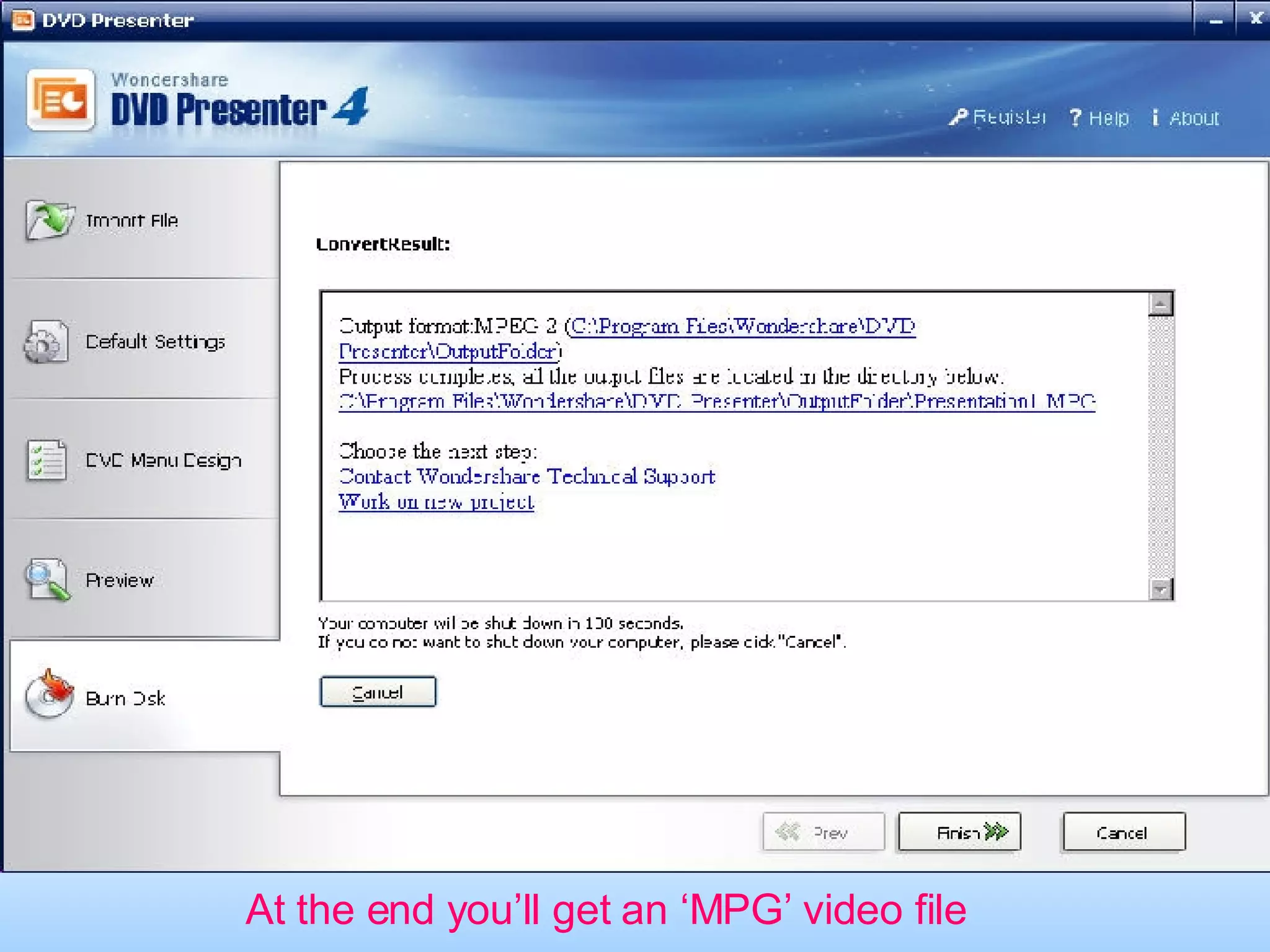
At the end you’ll get an ‘MPG’ video file
Finish Upload  the ‘MPG’ PowerPoint video to Youtube or Myspace.  Upload link:  Youtube :  http://www.youtube.com/my_videos_upload   Myspace:  http://vids.myspace.com/index.cfm?fuseaction=vids.upload
Wondershare DVD Presenter http://www.ppt-to-dvd.com

How to upload PowerPoint to You Tube

  • 1.
    Upload PowerPoint toYouTube This is a tutorial about how to upload PowerPoint slide show to YouTube
  • 2.
    YouTube don’t acceptPowerPoint slideshow formats(.ppt) As PowerPoint is an easy and powerful tool to make beautiful slide show. We always use it to make photo albums or other slide shows to share with family and friends. And if you think your slide show is very funny or unique, you may want to upload it to YouTube or MySpace. But YouTube and MySpace only accept 'MPEG,AVI,WMV,MOV' video formats Then how can we upload PowerPoint slideshow to Youtube?
  • 3.
    How to uploadPowerPoint to YouTube? Theory: Slides made by PowerPoint should be converted to video formats YouTube and MySpace accepted So we must convert PowerPoint file to 'MPEG' format first
  • 4.
    Prepare A 'ppt'"pptx" or 'pps' "pptm" slide show (photo album etc.)made by PowerPoint PPT2DVD(A tool to convert PowerPoint slides to video file)
  • 5.
    Steps ConvertPowerPoint 'ppt/pps/pptx/pptm' to ‘.mpg’ Upload the ‘MPG’ file to Youtube or Myspace.
  • 6.
    Convert PowerPoint tovideo 1.1 Download Wondershare DVD Presenter from http://www.ppt-to-dvd.com .Install then run it 1.2 Press ‘Browse’ to add your PowerPoint slides file . Select the Path of your file and double click the file to add it. Then Press “Next’ in the bottom
  • 7.
    Import PowerPoint filesto DVD Presenter
  • 8.
  • 9.
  • 10.
  • 11.
    At the endyou’ll get an ‘MPG’ video file
  • 12.
    Finish Upload the ‘MPG’ PowerPoint video to Youtube or Myspace. Upload link: Youtube : http://www.youtube.com/my_videos_upload Myspace: http://vids.myspace.com/index.cfm?fuseaction=vids.upload
  • 13.
    Wondershare DVD Presenterhttp://www.ppt-to-dvd.com